
01
Track Applications
Follow every role from interest and application through interviews, offer, pause or archive using a clear board-based workflow.
Free · Private · Local-First · Built for Real Job Searches
A free browser-based tool for tracking applications, tailored CVs, cover letters, recruiter conversations, interview preparation and follow-ups in one place.
No account, no subscription and no cloud database. Your information stays in your browser unless you choose to export it.
Current version: v7.6.2 · ZIP download includes the Career CRM app, README and release notes.
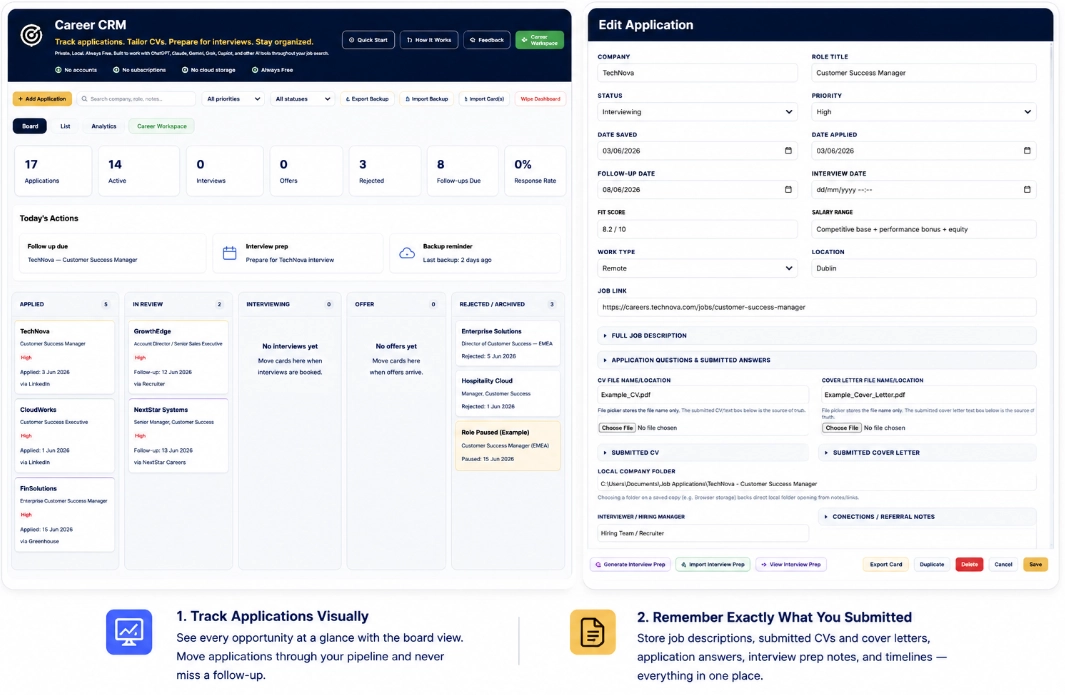
One local workspace for applications, documents, interview preparation and follow-ups.
I built Career CRM while managing my own job search across tailored CVs, cover letters, recruiter conversations, application answers and interview preparation.
I wanted something simple enough to use every day, structured enough to stay useful after dozens of applications and private enough that sensitive career information did not need to sit inside another subscription platform.
Career CRM is free because the goal is straightforward: help people feel more organised, better prepared and less overwhelmed during a process that is often stressful enough already.
01
Follow every role from interest and application through interviews, offer, pause or archive using a clear board-based workflow.
02
Store the exact CV, cover letter, job description and application answers used for each opportunity.
03
Keep positioning, likely questions, company research and interview notes connected to the role they belong to.
04
Track recruiter details, next actions, paused opportunities and follow-up dates before important conversations disappear.
05
Use ChatGPT, Claude, Gemini, Grok or another assistant to help tailor material and create importable Career CRM cards.
06
Use Career Workspace for recruiter notes, interesting roles, reminders, ideas and anything else worth keeping during the search.
The layout follows the real sequence of a job search: capture the role, keep the submitted material, prepare for conversations and stay on top of what happens next.
Review active, paused and completed opportunities without rebuilding the story from scattered notes and browser tabs.
Return to the exact documents, answers and positioning used when a recruiter calls days or weeks later.
Keep the role, company, recruiter, interview preparation and next actions together so each conversation starts with context.
Extract the ZIP file and open the Career CRM HTML file in your browser.
Add a role manually or use the Template Card with your preferred AI assistant to generate an importable card.
Keep the exact CV, cover letter, application answers, recruiter notes and job description you actually used.
Use the card for interview preparation, track next actions and export regular backups of your local data.
Career CRM stores its information locally in your browser. It does not require an account and it does not send your job-search data to a Career CRM cloud service.
Because the data is local, regular backups matter. Export a backup before changing browser, device or app version, then import it wherever you want to continue.
Free ZIP download. Runs locally in your browser and includes the app, README and release notes.
Important: Career CRM stores data locally in your browser. Export backups regularly, especially before changing browser, device or app version.
Review version history, new features, workflow improvements and fixes on the dedicated release notes page.
Yes. Career CRM is free to download and use.
No. There is no account, login or subscription required.
Your data is stored locally in your browser. Career CRM does not send it to a cloud database.
Yes. Export a backup, then import it into Career CRM on the other browser or device.
Yes. It is designed to work with different AI assistants for CV tailoring, cover letters, interview preparation, job analysis and importable card generation.
Career Workspace is a private notes area for reminders, recruiter notes, interesting roles, follow-up ideas and anything else worth remembering during your job search.
